Mobile app
Your business in your pocket, with the same rules.
Check how the business is doing, approve what is waiting, scan stock and visit customers from your phone. What you see and what you can do follow your role and your company's rules.
An Android build is available to pilot companies on request. The iPhone build and public store listings are not ready yet.
What it does
Six things you can do from your phone.
Each one uses the same records, permissions and approval rules as the rest of AlpineERP.
Know
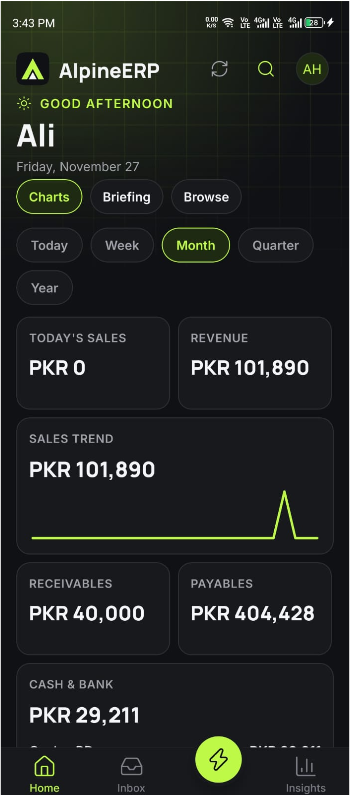
Sales, receivables, payables, cash and alerts on one screen, for today, this week, month, quarter or year.
Approve
Review what is waiting with the context to decide, and approve or reject with a swipe.
Sell
Make quotations, orders and payments, look up a customer, and start the next document from the last.
Count and move stock
Scan barcodes to look up items, receive, issue, transfer and count stock by warehouse.
Work in the field
Plan visits, check in and out, record the outcome, and confirm deliveries with a signature and a photo.
Ask a question
Ask Alpine AI about your own business data, if your company has turned it on.
Home and briefing
Know how the business is doing before you reach a desk.
Home opens on figures calculated on the server, so they match your reports.
- Sales, revenue against the previous period, receivables, payables, cash and bank balances, and anything that needs attention
- Change the period with one tap: today, week, month, quarter or year
- Tap a card to see the records behind the number
- A short note of what changed since you last opened the app
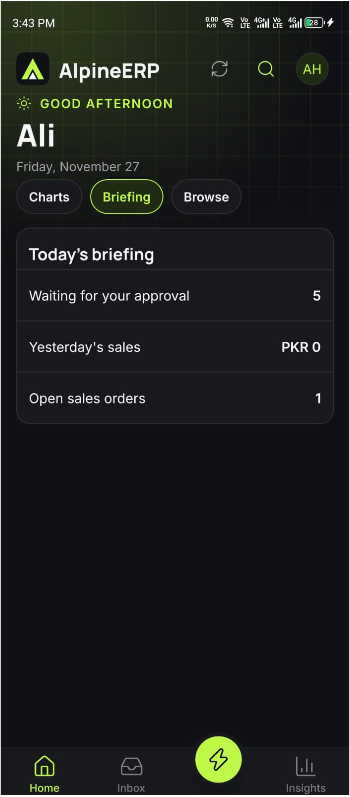
- A daily briefing: yesterday's sales, open orders, overdue payments, items running low and approvals waiting
- A company switch if you can see more than one, and every figure follows it
- The last figures received are kept, so Home still opens on a weak signal
People linked to an employee record also get a Me page: check in and out, an attendance calendar, leave balances, expense claims and payslips.
- Home: the figures for the period you choose.
- A briefing of what needs you today.
Approvals
Approve in a swipe, with the context to decide.
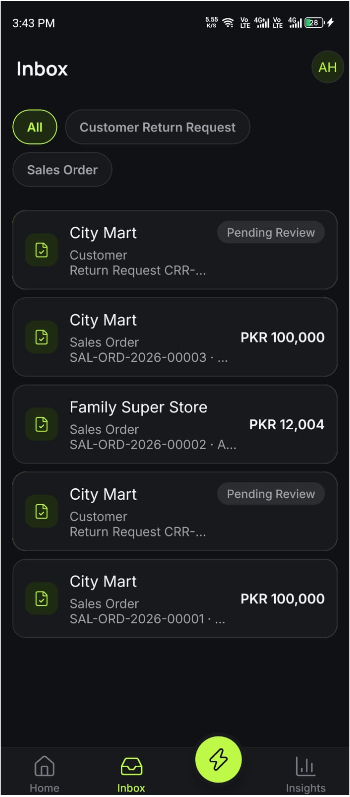
The Inbox gathers every approval and task waiting for you in one list.
- 1
Open
Each item shows the requester, the amount and the date.
- 2
Check
For a quotation, see how much of the customer's credit is used and how the price compares with the last purchase.
- 3
Decide
Swipe right to approve. Swipe left to reject, with a reason.
- 4
Confirm
Above a limit your administrator sets, the app asks for Face ID or a fingerprint again.
- You cannot approve your own requests
- Add a comment to any decision
- Workflow buttons appear when your company uses approval workflows
Barcode scanning and stock
Scan, count and move stock from the shelf.
Each scan adds to a list under the camera, and only a code inside the box is read. Nothing is posted until you review the finished document and save it.
Order
A sales order with the scanned items.
Receive
Brings items into a warehouse. Scan the warehouse label first.
Issue
Takes items out of a warehouse.
Transfer
Moves items from one warehouse to another.
Count
A stock count of what you counted, shown against what the system holds.
- Reads standard product barcodes and QR codes, and serial numbers and batches
- Shows how many are in the warehouse, and warns when you take out more than it holds
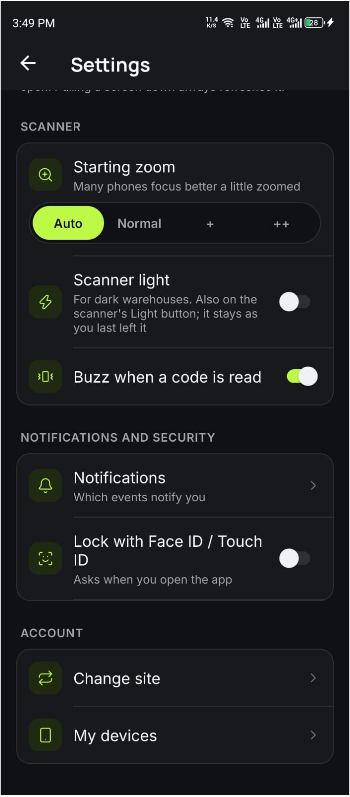
- A light button for dim rooms, or type a code when a label is damaged
- The warehouse modes appear only for people who can create stock entries
Field work
Visit, deliver and prove it.
Available when your company turns it on for your role.
Visits
See today's planned visits, add one, order the stops nearest first, and check in and out.
Outcomes
Record the outcome of each visit. The app opens the next step, such as an order, a quotation or a payment, linked to the visit.
Proof of delivery
Who received it, a signature on the screen and a photo. Each delivery is confirmed once.
Attendance
Check in and out for work, for people who are employees.
Location is read only at the moment you tap. The app never tracks you in the background.
Your whole system
Every record, not a cut-down version.
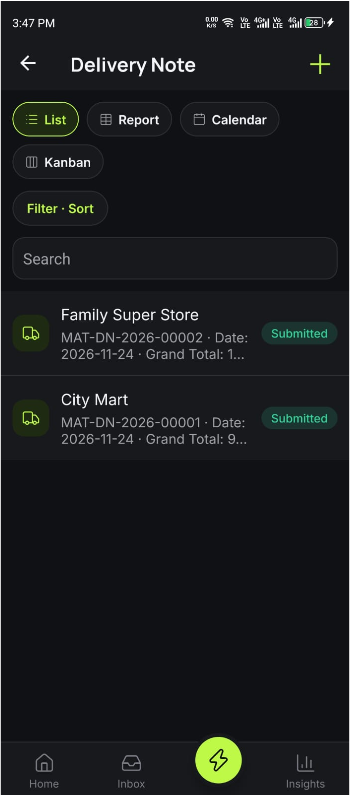
Lists, forms and reports open in the app and follow the same permissions, rules and workflows as on your computer.
- Lists in six views: list, report, calendar, images, kanban and tree
- Filters and sort are remembered for each type of record
- Touch and hold to select rows, then assign, set a field or delete them together
- Forms laid out in tabs, sections and columns, with prices and totals filled in on sales documents
- Your company's own form rules run on the phone too
- Attach photos from the camera or the gallery
- One search box for customers, items, orders, invoices and pages
- Workspaces, dashboards and reports in the Insights tab
Weak or no signal
Keeps working when the signal does not.
What you opened recently stays on the phone and opens at once, even offline, then refreshes quietly when you are connected.
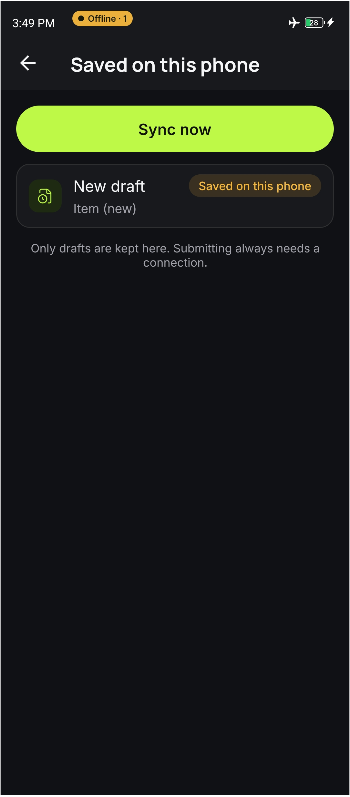
- Drafts of quotations, sales orders, customers, tasks and to-dos save on the phone and are sent when you are back online
- If someone else changed the same record, nothing is overwritten: you see both versions and choose
- Submitting always needs a connection, and the app never submits in the background
- Anything that could not be accepted is kept with the reason, so nothing is lost silently
Alpine AI
Ask your business a question.
If your company turns on Alpine AI, ask in plain words, such as which items are running low or what customers owe you.
- It only uses your permissions: it cannot show you what you could not open yourself
- It can prepare a draft, ask for anything missing, and saves nothing until you confirm
- Every question is logged for your administrator
Privacy and security
Your data stays in your company's system.
The app talks to your company's own site. AlpineERP does not collect your business data.
- Sign in with your company account, or an API key your administrator gives you
- Sign-in tokens are kept in the phone's secure storage
- Lock the app with Face ID or a fingerprint
- Sign in on your phone by scanning a one-time QR code from your computer
- Location is read only when you tap Check in, Check out or confirm a delivery
- The camera is used only to scan, or to capture what you choose to attach
- Usage statistics are off unless your company turns them on
- Signing out removes the saved data from the phone
- An administrator can remove a lost phone, and it is signed out the next time it connects
Set by your administrator
Each role sees its own app.
Your administrator chooses which roles see which modules, approvals and field features. A layout for each kind of person, such as owner, sales representative, warehouse or accountant, sets the tabs, Home pages, quick actions, scanner modes and shortcuts.
- Whether sign-in with an API key is allowed
- The amount above which an approval asks for Face ID or a fingerprint
- Whether a reason is required to reject
- The time of the daily briefing, and whether Alpine AI is available
- The list of visit outcomes, and the dashboards each role sees
Getting the app
Where it is today.
The app is new, so this is what is and is not ready.
Android
A build is available to pilot companies on request.
iPhone
Not ready yet.
App stores
Not listed yet.
Your site
AlpineERP Mobile has to be turned on for your site. The site's page in the console offers to install it.
Not in the app yet
- Push notifications are not delivered yet
- Gantt and map views
- Pages built only for the web version open in the browser, already signed in
- Editing other people's accounts: use the web version
- Scanning straight into a record you already have open
Questions
Mobile app questions.
Which phones does it run on?
An Android build is available to pilot companies on request. The iPhone build and the public store listings are not ready yet.
Do I need a separate login?
No. You sign in as your normal AlpineERP user, with your company account or an API key. You can also scan a one-time QR code from your computer.
Does it show everything in the system?
No. It follows your role and permissions, so you see only what you could open on your computer.
Can I approve from my phone?
Yes. The Inbox lists what is waiting for you, with the context to decide. Swipe to approve or reject, and above a limit your administrator sets the app asks for Face ID or a fingerprint.
Does it work without internet?
What you opened recently opens offline, and drafts of quotations, sales orders, customers, tasks and to-dos are saved on the phone and sent later. Submitting always needs a connection.
Does it track my location?
No. Location is read only at the moment you tap Check in, Check out or confirm a delivery. The app never tracks you in the background, and you can refuse.
Is it for my customers too?
No, it is for your own team. It is not a customer app.
What does it cost?
Apps are not priced separately. See the plans for what each one includes, all with unlimited users.
Is there a free trial?
Yes, 7 days, with no card to start.
Put your business on your phone.
Start the free trial. For the Android build, get in touch.